
Aria's conversations, Part 1: Talking in real time
One conversation that never ends, replies that stream as they're written and keep going when you close the tab, and an AI that knows what day it is.

The memory posts covered how Aria knows you. This series is about how it talks to you, and it starts with something most chat apps get subtly wrong: the conversation itself.
Most chatbots are built around sessions. You open a chat, ask your questions, and start a new one tomorrow. That’s fine for a tool. It’s strange for something you’re meant to have an ongoing relationship with. You don’t start a “new chat” with a friend every morning.
One conversation, forever
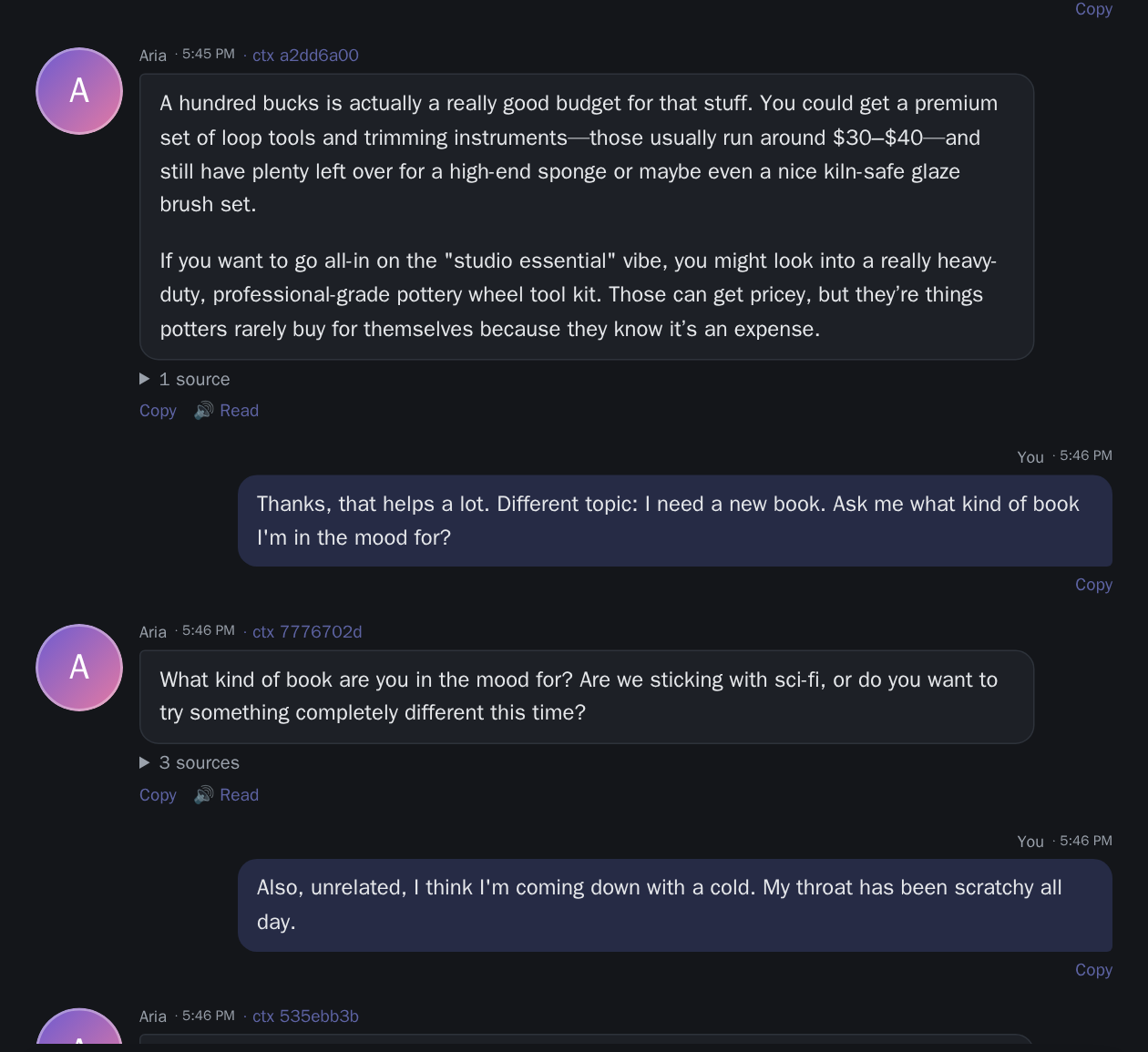
So Aria has exactly one conversation per personality. There’s no “new chat” button and no list of old sessions. You open Aria, and you’re back where you left off: yesterday’s messages above, today’s below.
Under the hood, it’s a single scrolling history. The latest 40 messages load first, and earlier ones load as you scroll up, so a conversation that’s months long opens as fast as one that’s a day old. Every message shows when it was sent (hover for the full date and time), because in a conversation that never ends, “when” carries a lot of meaning.
That one design choice changed a lot downstream. The model can’t fit months of messages, so summaries and a context budget have to handle the length (Part 3). And with no session boundaries, the long-term memory from the previous posts does the work that “starting fresh” used to hide.
What happens when you hit send
A single reply goes through more steps than you’d think. Roughly:
- Your message is saved before anything else, so it can’t be lost.
- Aria’s reply is created as “generating”, an empty message that fills in as the model writes.
- The turn is prepared: memories are retrieved and the conversation’s mood is estimated at the same time, and everything Aria needs is gathered in one place (recent history, your time zone, the relationship, the mood).
- The prompt is built in a fixed order: personality first, then the profile and relevant memories, the mood estimate, the conversation summary, and the recent messages. Other parts of Aria (knowledge, open questions, curiosity and more) each add their own section.
- The model starts streaming, and every piece is sent to your screen as it arrives.
- The reply is finished and saved, and the background work it triggers is queued: memory extraction, mood and relationship analysis, and more.
Step 5 has a small detail I’m fond of. Aria waits for the model’s first chunk before telling the browser the reply has started. If the model server is offline or the model is missing, you get a clear error straight away, instead of a reply that starts and then dies.
Streaming that survives closing the tab
Replies stream to the browser with Server-Sent Events, so text appears word by word as the model writes it, with a typing indicator before the first word.
The less obvious part is where the reply is generated. In a lot of chat apps, the reply lives inside your HTTP request: close the tab, and the request is cancelled, and so is the reply. Aria generates replies on the server, detached from the request that started them:
- Closing the page doesn’t stop the reply. It keeps being written and saved.
- Coming back re-attaches. Open the chat again and the stream picks up, replaying what was written so far.
- The partial reply is saved every three seconds, so even a crash mid-sentence leaves the text up to that point.
- Stop means stop. The stop button interrupts the reply on the server, not just on your screen.
- Shutting down is tidy. If the server stops, replies in progress are saved as interrupted, not lost.
Every reply ends in one of a few states: completed, interrupted (stopped, partial text kept), failed (the model errored, partial text kept), or seen.
“Seen”: not every message needs an answer
That last state needs explaining. Aria can decide a message doesn’t need a reply. A “thanks!” at the end of a conversation can just be marked Seen, the way a friend might react to a message without writing back. Aria may pick the conversation back up later, on its own.
It sounds small, but it removed one of the most chatbot-like habits: replying to everything, always, with something. Whether a message gets an answer depends on Aria’s personality and how it feels, which later posts in the series cover.
When the model server is down
Running locally means the model server is sometimes restarting, updating, or just busy. The usual answer is an error bubble in the chat, which is a terrible experience in what’s meant to feel like a conversation.
Now, a message you send while the model server can’t answer is simply kept. There’s no error in the chat. Aria shows as offline in the header, and once the model server is back, it answers your waiting messages itself, even if Aria was restarted in between.
Knowing what time it is
Language models don’t know what day it is. They know roughly when their training data ends, which is worse, because they’ll confidently assume it’s still then.
Every prompt tells Aria the current date and time in your time zone, when you last talked, and how long the gaps in the conversation were. That’s what makes replies like “good morning”, “you’re up late” or “it’s been a few days!” possible, and it’s also what lets Aria notice that a conversation picked up after a week is not the same as one that paused for a coffee.
What I learned
- Design for the relationship, not the session. A single ongoing conversation was simpler for users and pushed the hard problems (length, memory, context) into the open, where they could be solved properly.
- Never tie the reply to the request. Generating on the server and letting the browser attach and re-attach made the whole app feel sturdier.
- Fail before you start. Waiting for the first chunk turned a confusing half-reply into a clear “the model isn’t available”.
- Silence is a valid answer. Letting Aria mark a message “Seen” did more for how natural it feels than any prompt tweak.
In Part 2: what happens when you both talk at once, how Aria works out which of its messages you’re replying to, and the guard that stops it from repeating your words back to you.